

Written by Kyle Stockbridge
Office Manager, BOOM BOX POST
If you've spent a Fourth of July in Los Angeles, you know the city transforms into one giant fireworks show. For sound designers, it's also one of the best opportunities of the year to capture unique explosions, whistles, crackles, and distant booms for future projects. One of these years I’m going to find the perfect audio vantage point of the LA fireworks, away from people, insects and other noise pollution… but this past weekend, I simply planted my field recorder just outside my front doorstep and was still blown away by the endless barrage of war-like explosions.
In this post, I'll walk through my workflow from the untouched recordings to the finished library-ready sounds. Along the way, you'll hear three versions of each recording: the original raw recording, the cleaned version after iZotope RX, and the final processed version after additional mixing in Pro Tools.
RX Cleanup
Before adding any creative processing, I wanted to remove distractions that would become much more noticeable later in the processing chain. Take a listen to the two clips of my raw recordings below to hear the starting point of these recordings!
If you’re listening with headphones or monitors, you’ll hear that Clip 1 contains very noticeable crickets and some electrical hum as it was recorded in the front yard and exposed to the street. The neighborhood crickets are much less offensive in Clip 2 as this perspective is from the backyard, but throughout the whole recording is a distracting bird chirp. Let’s take a look in a spectral editor for a visual representation of what we’re hearing.
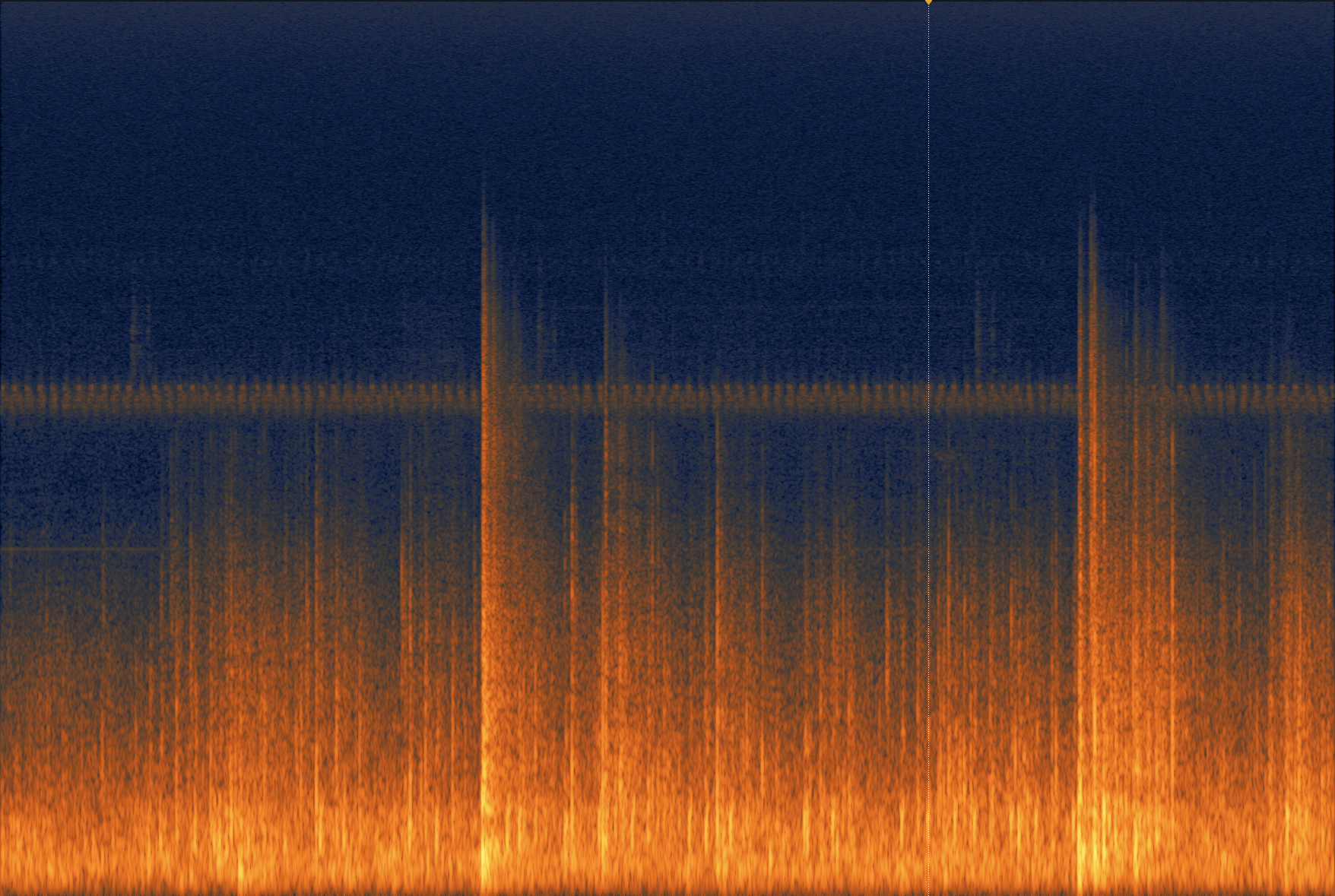
Fireworks Clip 1 - Raw Recording in RX
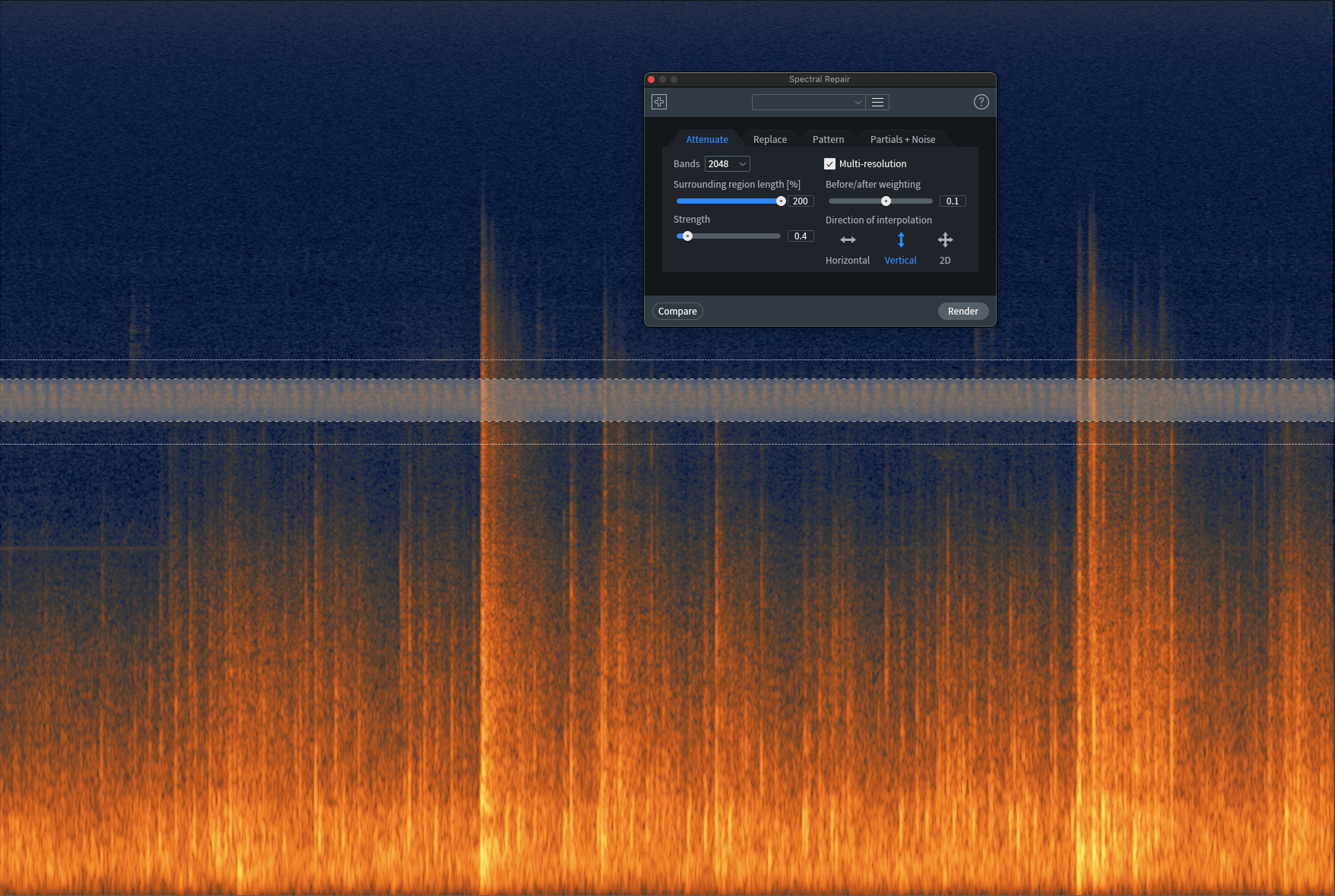
For the crickets and hum, I used Spectral Repair in Attenuate mode, making sure to only select the distracting frequencies. I found that when using the ‘vertical direction’ of interpolation, a ‘large surrounding region length' and playing with the ‘before/after weighting’, RX does a great job of preserving the desired signal (fireworks) and only attenuates the targeted distractions. I used a strength of 0.4 and rendered this maybe three to four times, just gently chiseling away slowly rather than making an extreme single hack. Here’s what the recording looks and sounds like after:
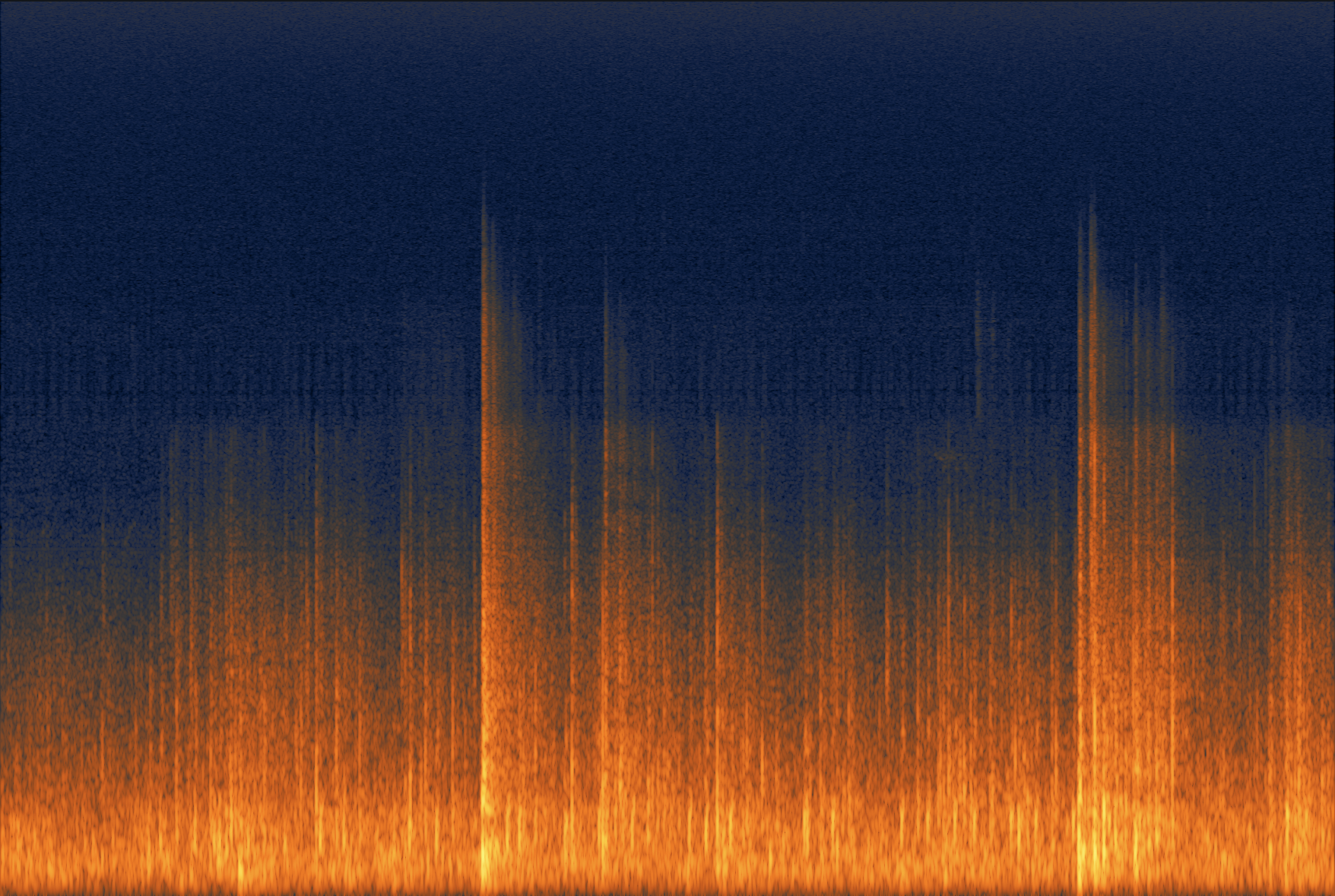
Fireworks Clip 1 after using Spectral Repair in Attenuate mode
Now let’s tackle the bird chirps in Clip 2. Considering I took multiple recordings throughout the evening, each roughly 30 minutes long, it would be too time consuming to target each individual chirp. To speed things up I utilized the Find Similar (Shortcut: CMD + F) function to help locate every bird chirp throughout the recording, then attenuated them with Spectral Repair as demoed in the first clip. This made quick work of a problem that would have taken much longer by hand.
Here’s a video demonstrating how I cleaned up the crickets and bird chips in Clip 2:
Post Processing
Once the recordings were cleaned up, I moved onto processing on the track inserts to help them feel more focused and impactful.
My processing chain was fairly straightforward:
EQ (FabFilter Pro-Q 3) to reduce unnecessary super low-end stereo rumble and gently roll off excess high frequencies.
Multiband Expansion (Waves WNS Noise Suppressor) to further tame residual high frequency noise. Check out this post I wrote on Multiband Expansion
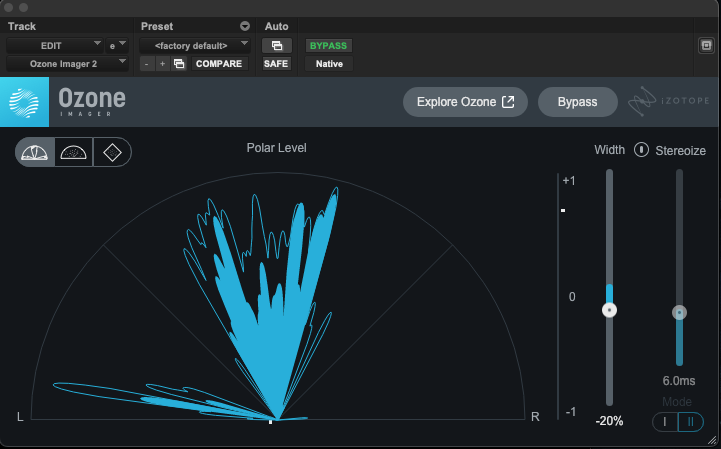
Stereo Imager (Ozone Imager) to tighten the stereo field and bring the fireworks into better focus. Since I used an ORTF stereo mic setup, the recording felt quite wide. I reduced the stereo width by 10%-20%.
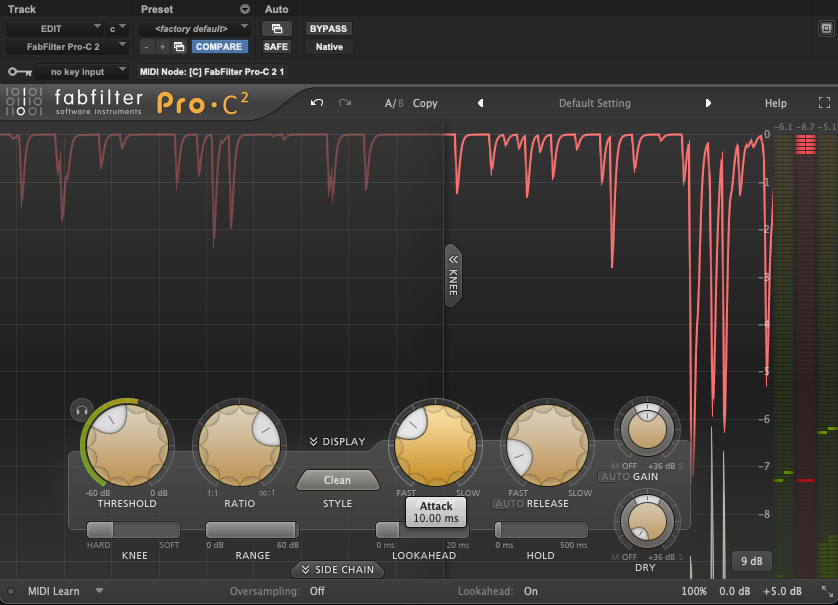
Compression (FabFilter Pro-C) to control peaks and shape the transient response. I used a fast attack of about 10-20ms to let the pop of the transient through but still smash the dynamics for more thunderous booms. I’m doing about 5-8dB of gain reduction on the compressor before adding back 5dB of makeup gain. Pro tip: with super transient material try using lookahead to further help the control of the quick transients.
Saturation (FabFilter Saturn 2) to introduce harmonic content and give the recordings a bit more weight and aggression. Check out this post where I compress and saturate gunshots to give them that cinema-ready quality.
Final thoughts
As you can hear, the final versions feel more up front and weighty. The controlled dynamics and saturation brings a more thunderous quality that puts you right in the middle of the chaos. The goal wasn't to completely transform the recordings, but to enhance what was already there while keeping them natural and production-ready. Having both the cleaned up version as well as the cleaned and processed version allows me to have different options for use in my work.
I’d love to experiment with additional creative processing such as pitch shifting or running it through special FX units to see what other type of otherworldly sounds I could transform it into. Slap a low-pass filter and reverb on it and suddenly you have war zone ambience track!
I hope this breakdown gives you a few ideas for your own field recording workflow. Even a relatively simple cleanup and processing chain can make a noticeable difference, especially when you're preparing recordings for a sound effects library. Thanks for reading, and I hope you picked up a new technique or two along the way!
If you enjoyed this post, check out these similar posts:
How To Process Gunshot Recordings
Sounds Like: The Fourth of July
WHOSE JOB IS IT? WHEN PLUG-IN EFFECTS ARE SOUND DESIGN VS MIX CHOICES